Your couriers shouldn't have to call to find the address.
On WooCommerce the customer types their city by hand and skips the neighborhood. AfriRegions has them pick from linked Country → Region → City → Neighborhood lists, and applies the right delivery rate down to the neighborhood.
And the delivery methods that actually exist where you are: home delivery, collection in store or at a pickup point, shipping by travel agency from one city to the next.
Checkout
WooCommerce features built for Africa.
Structured address fields, shipping rates down to the neighborhood, and delivery methods that match how Africa really ships, across 24 countries.
Included Free
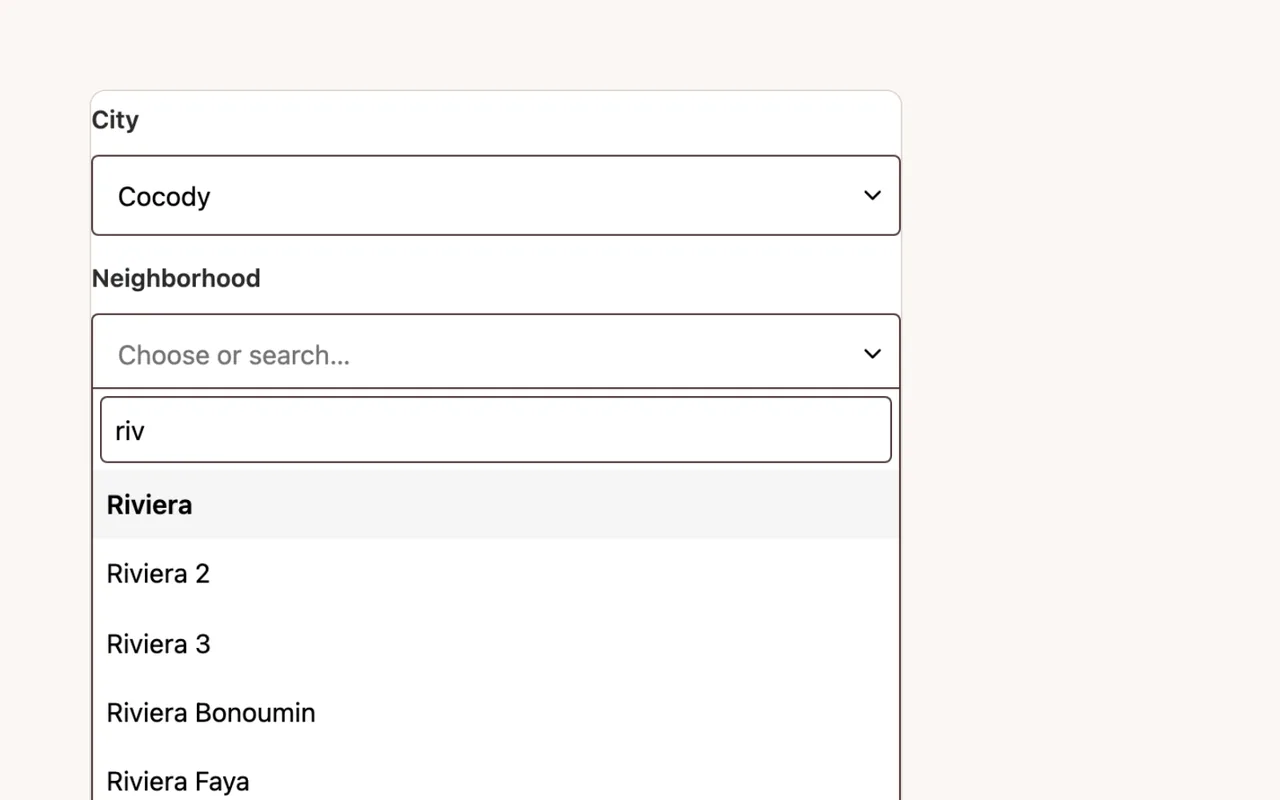
Cascading address fields
Country → Region → City → Neighborhood linked dropdowns. Each choice narrows the next, and the search tolerates missing accents and typos: typing “yaounde” finds “Yaoundé”.
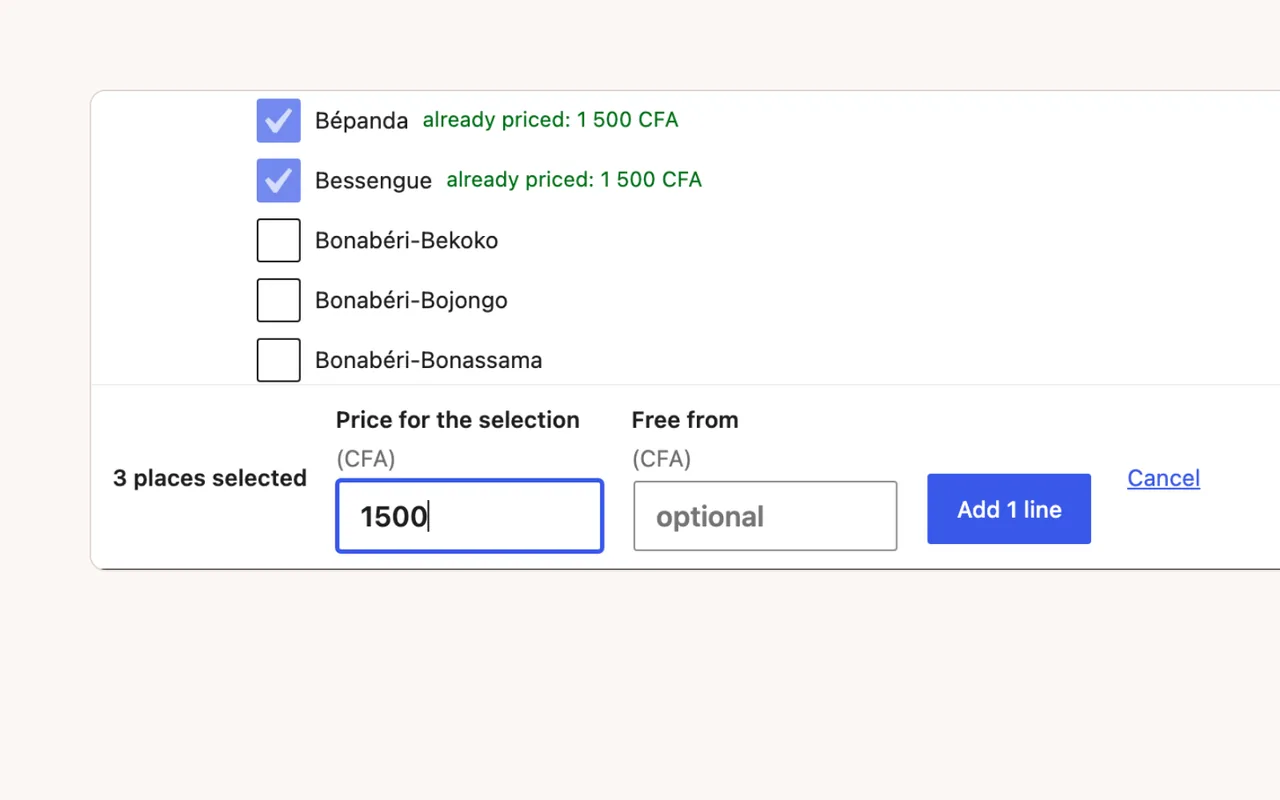
Zone-based shipping rates
Set one price for a whole region, another for a city, another for a single neighborhood. The most precise price always wins, and "Everywhere else" covers the rest.
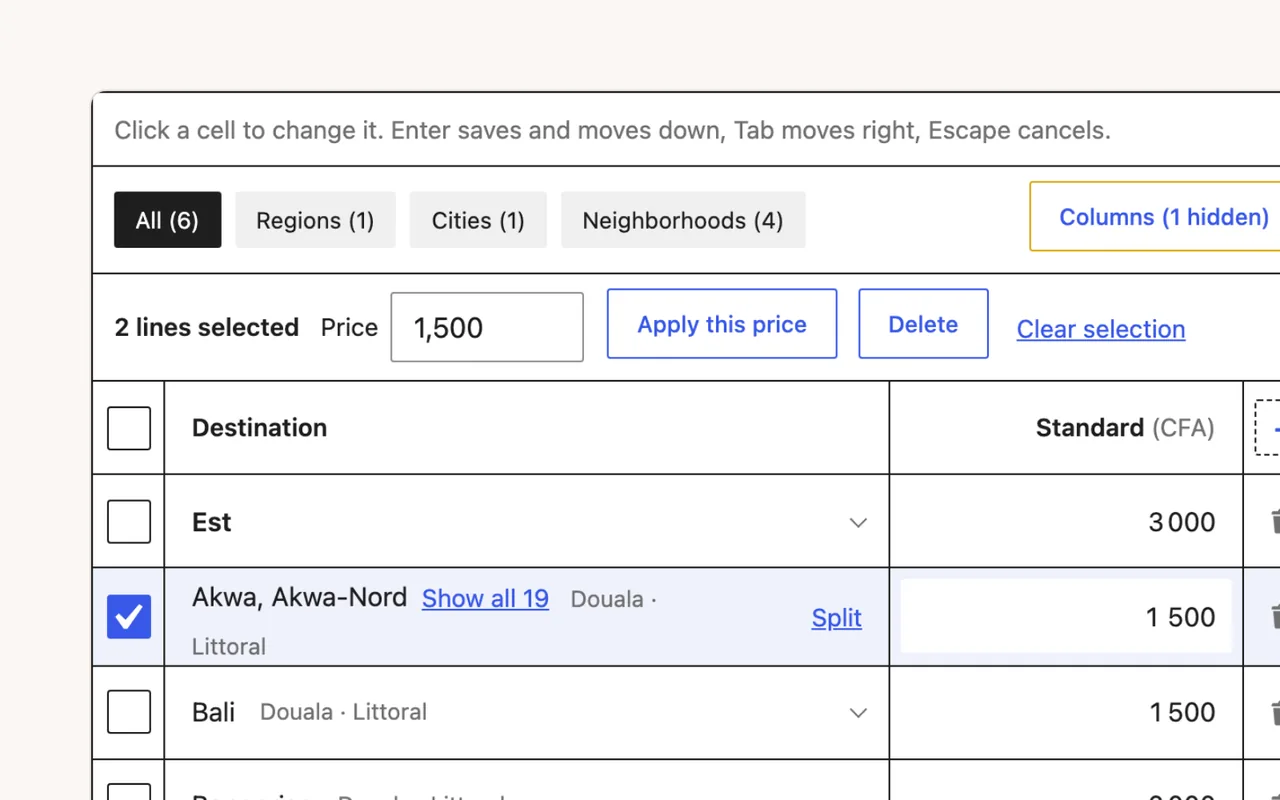
Prices you edit like a spreadsheet
One line per destination, one column per price. Tick places in your zone's list instead of typing them, give several neighborhoods one price, change many lines at once and undo a mistake.
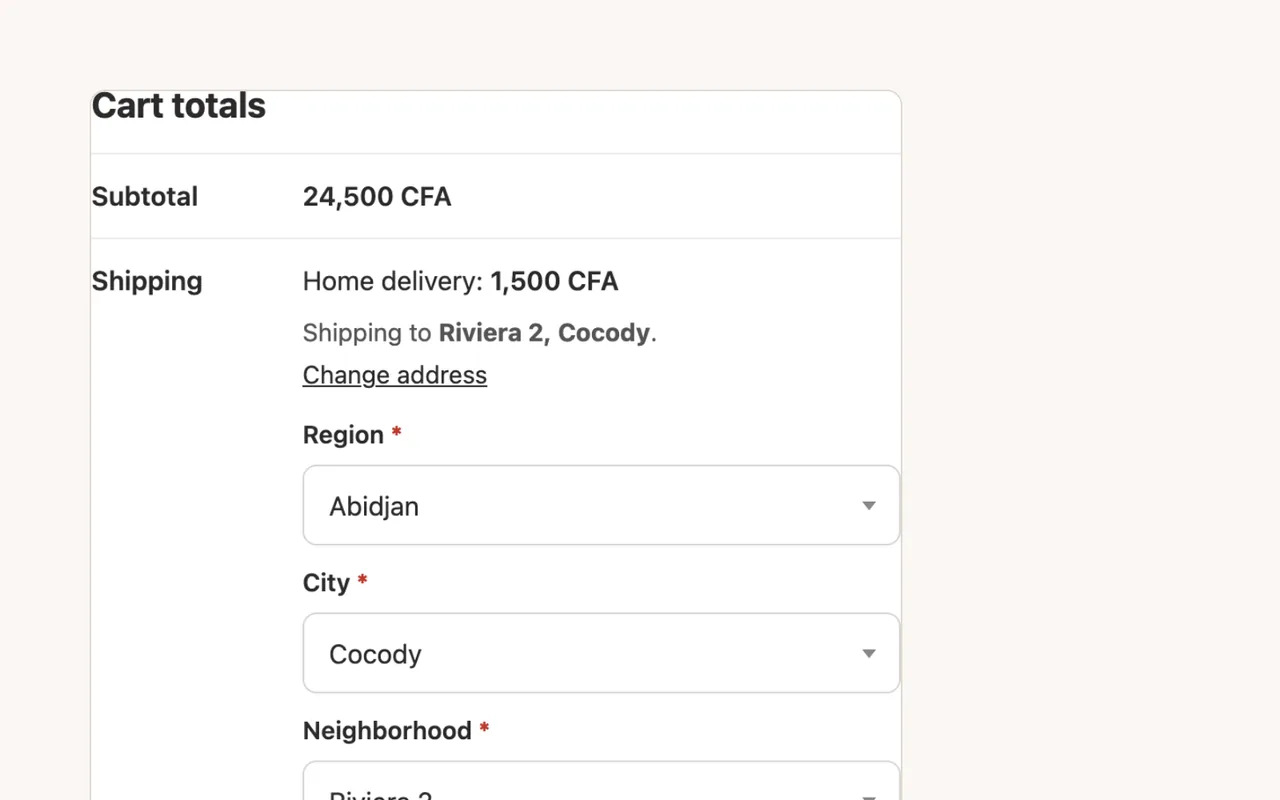
Shipping estimate in the cart
Customers check what delivery to their neighborhood will cost before they reach checkout. No last-step surprise, fewer abandoned carts.
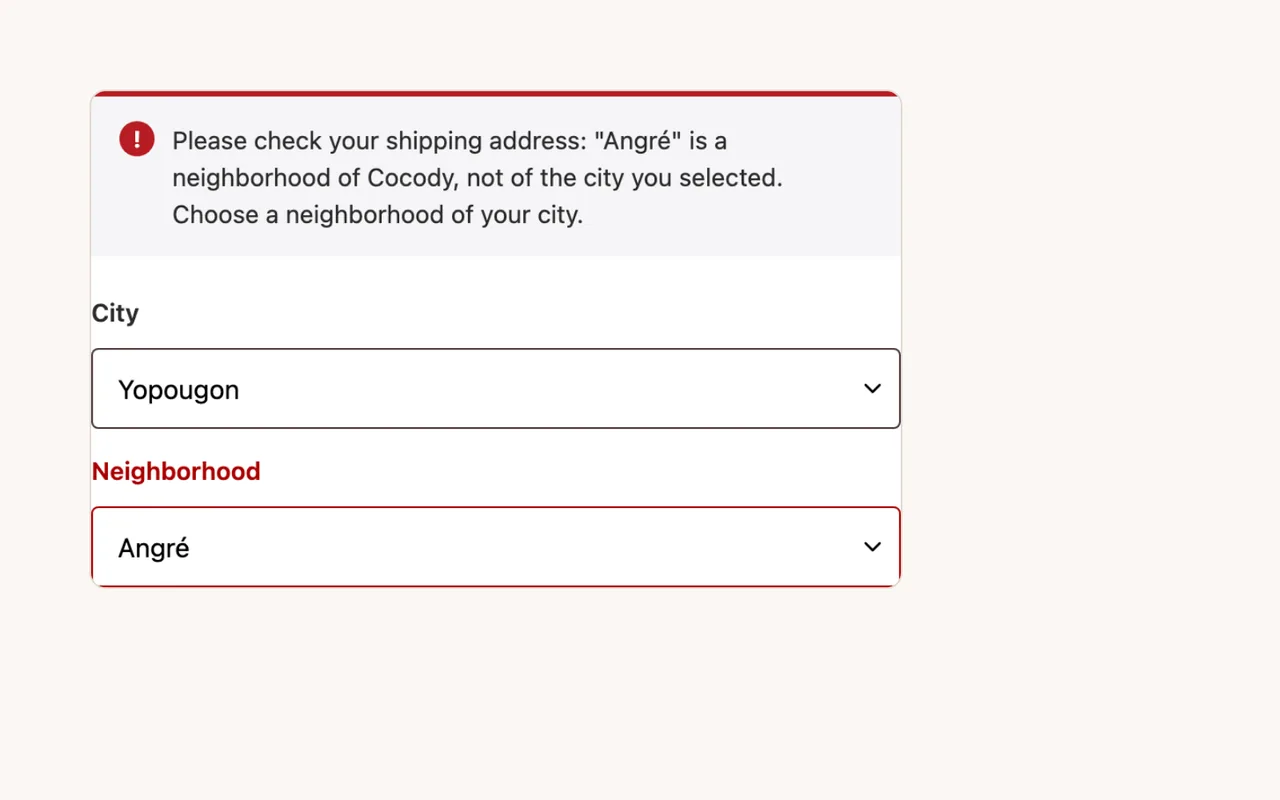
Address verification
Checks that the city really belongs to the region and the neighborhood to the city. An inconsistent address is flagged before the order is placed.
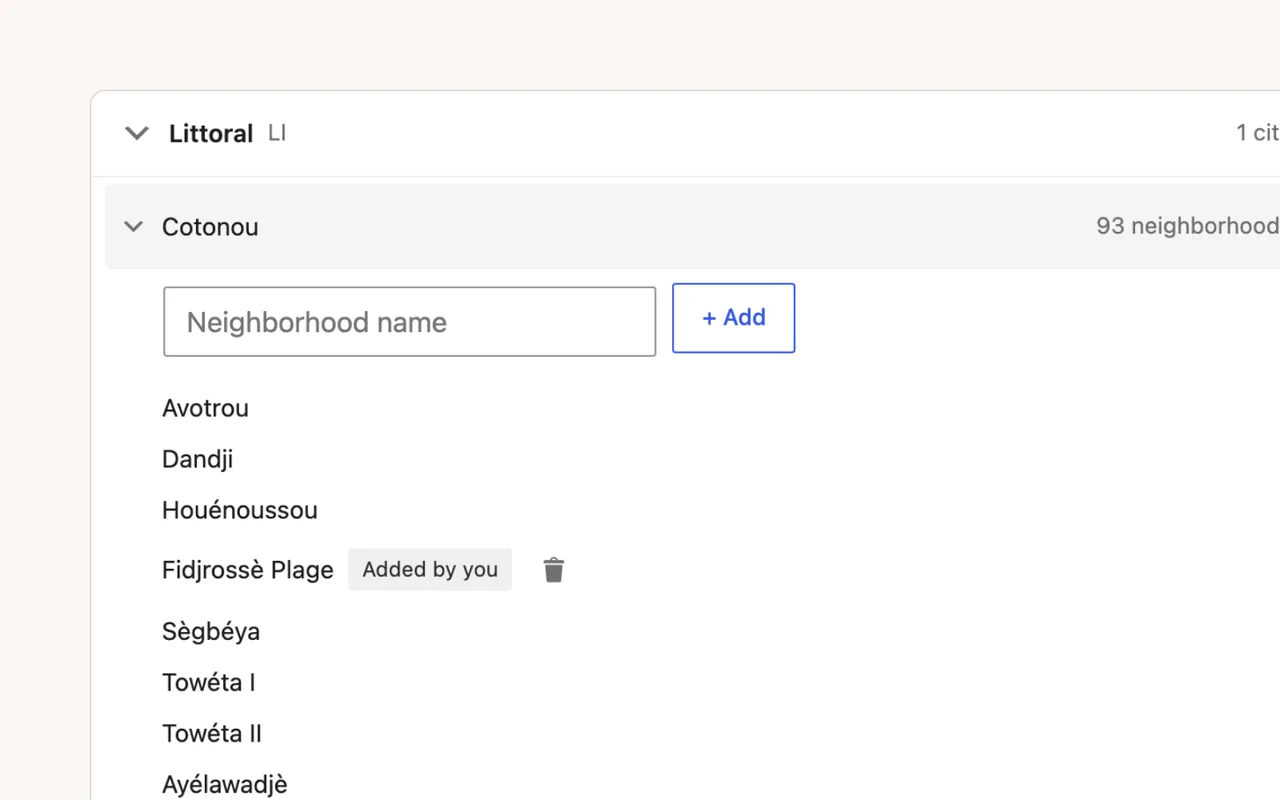
Your own cities and neighborhoods
In WooCommerce → Settings → AfriRegions → Regions and cities, browse and search your regions, cities and neighborhoods, and add the ones that are missing. A badge tells built-in places from the ones you added.
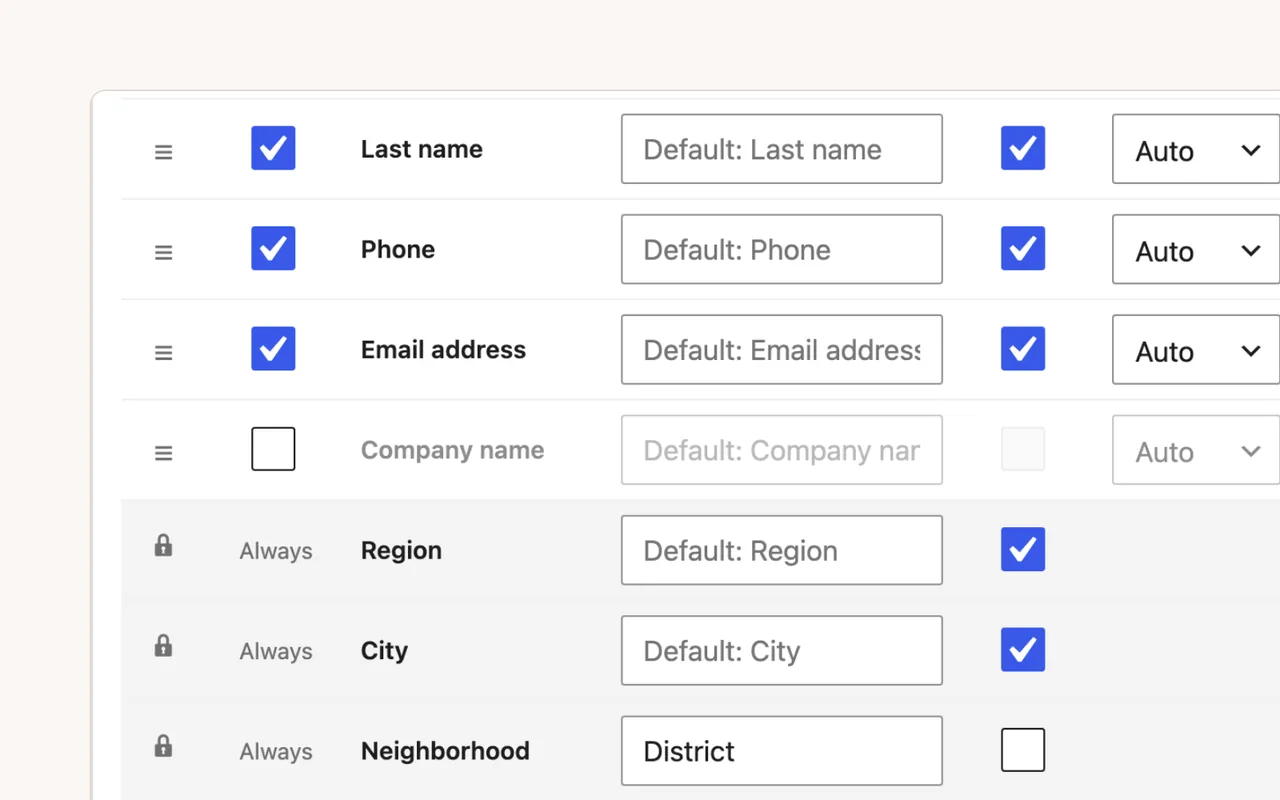
Checkout field customization
Reorder, rename, hide or require any checkout field, separately for billing and shipping. The AfriRegions address fields stay in place but can be relabelled.
Pro features
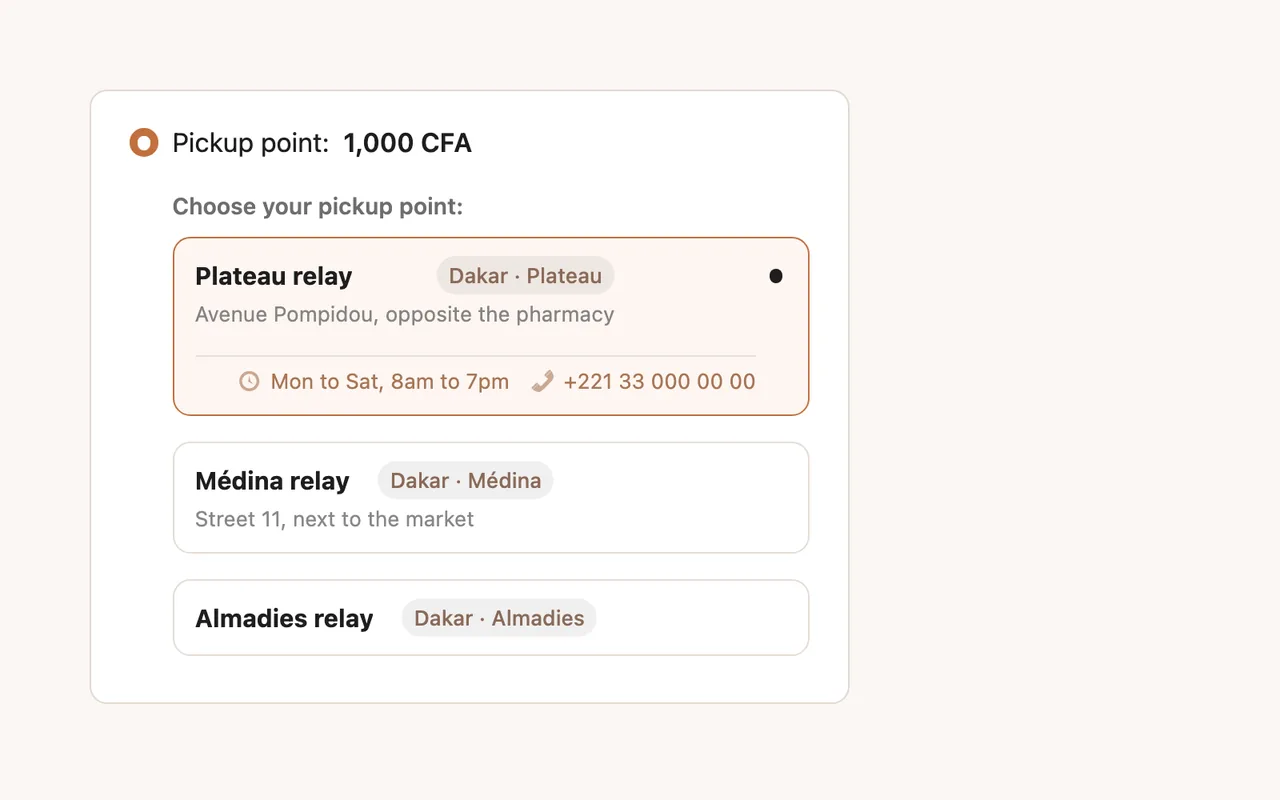
Pickup points
Define collection points with address, opening hours and phone. Customers only see the points in their city or region, and the one they pick appears on the order, the email and their account.
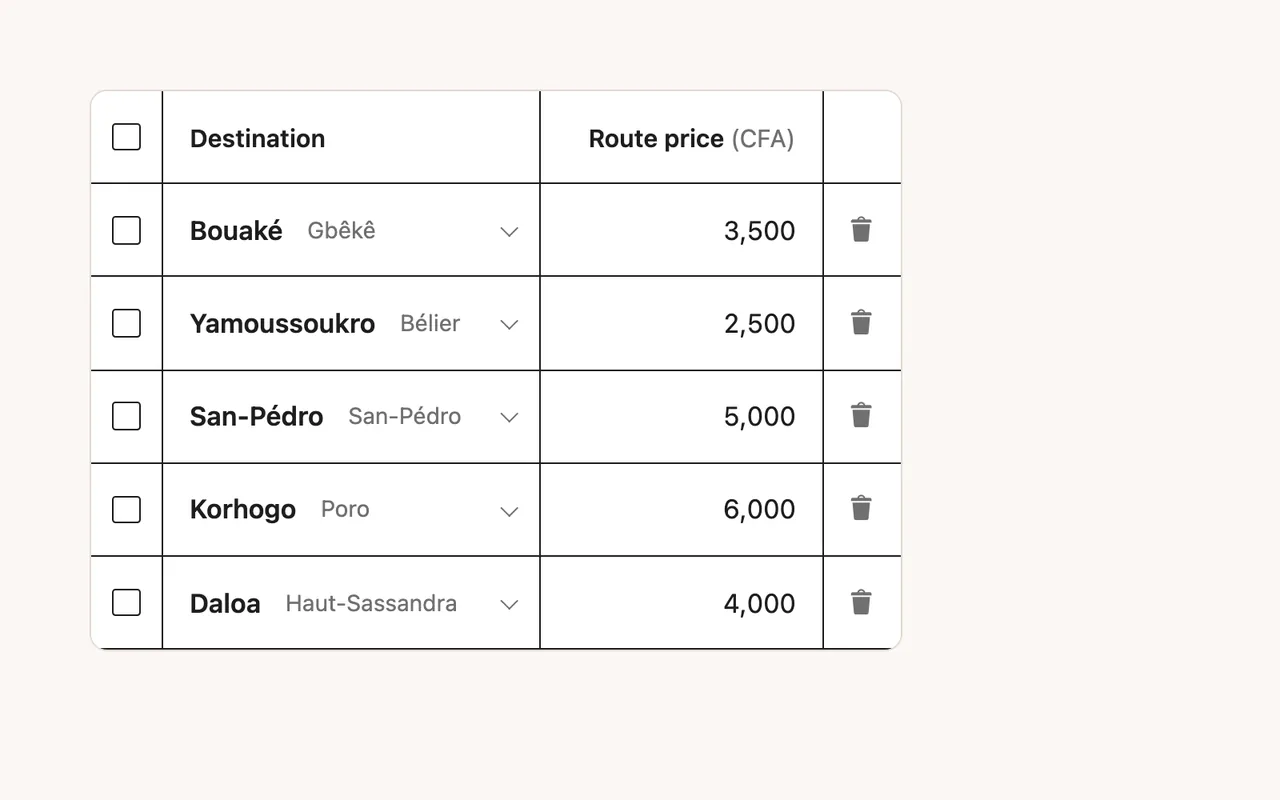
Travel agency shipping
Intercity delivery through bus agencies, priced per route. City, then region, then "Everywhere else", and customers pick the agency that suits them.
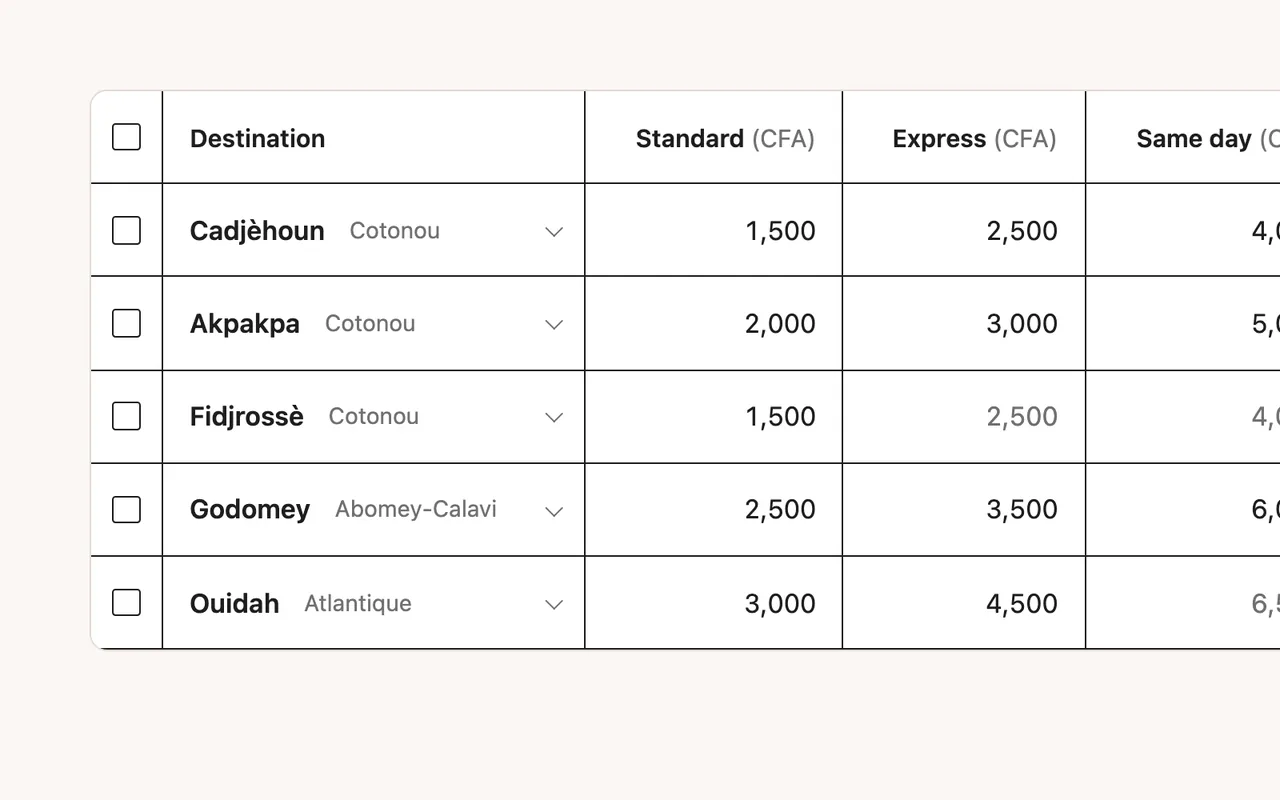
Express and Same Day options
Next to your standard rate, offer Express or Same Day delivery, each with its own surcharge and estimated delivery time.
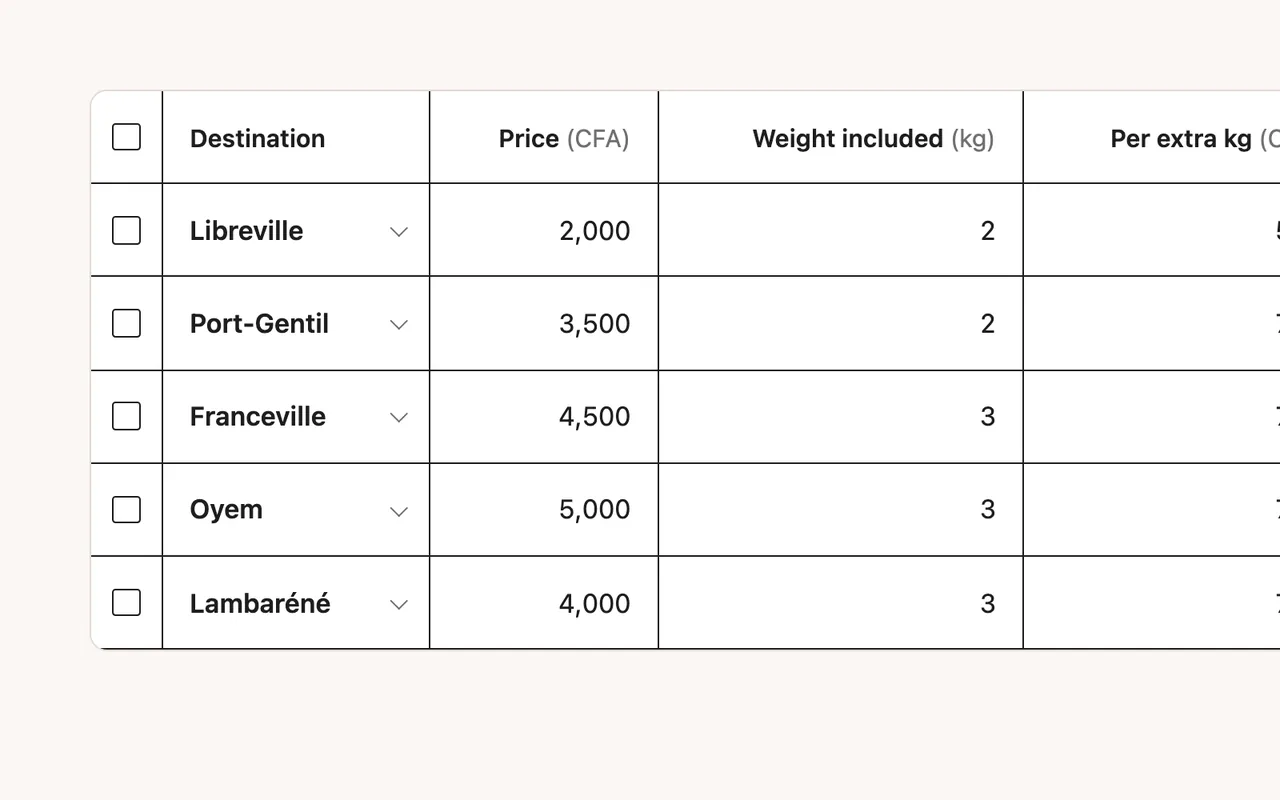
Price by weight
Include a weight in each price, then charge every extra kilo. Example: 1,500 up to 5 kg, then 500 per extra kilo started; a 7.2 kg parcel costs 3,000.
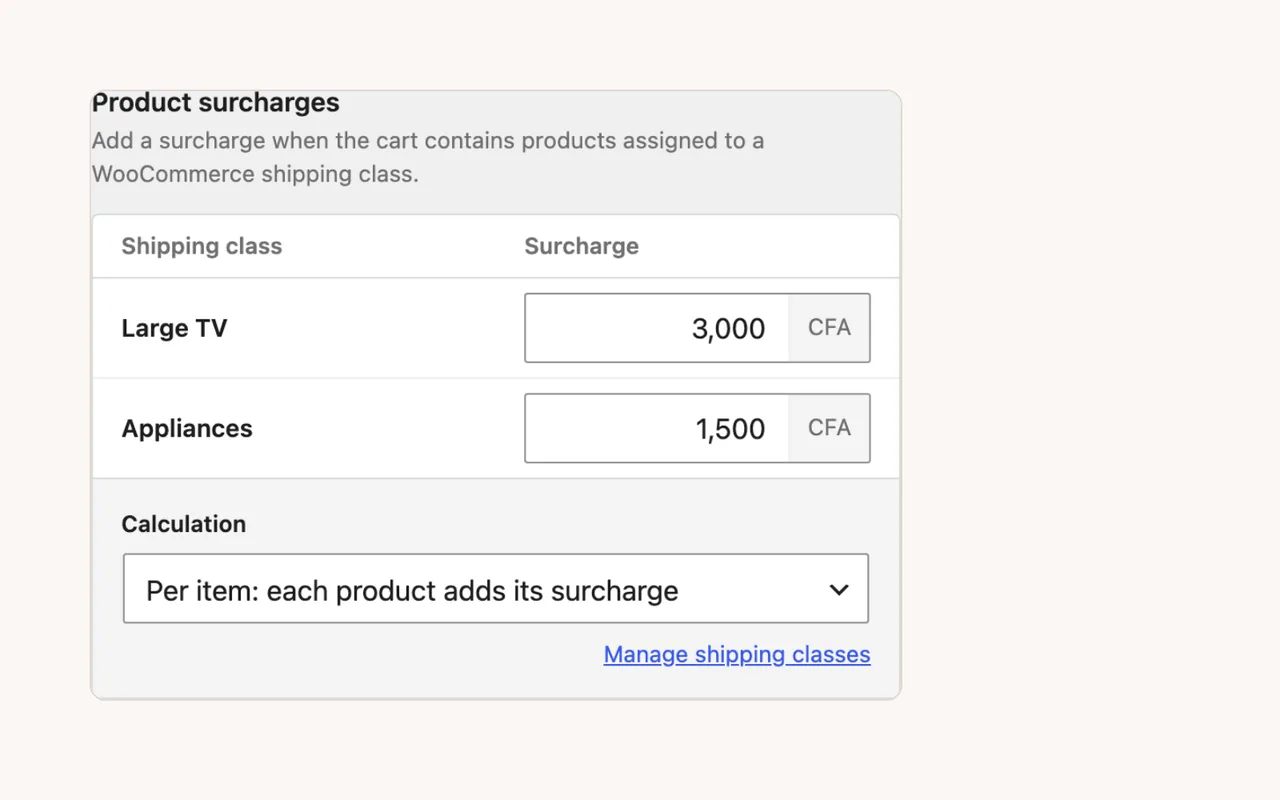
Bulky products
A 55-inch TV does not cost the same to deliver as a kettle. Put your large products in a WooCommerce shipping class and give it a surcharge, or hide the pickup points and agencies that cannot take them.
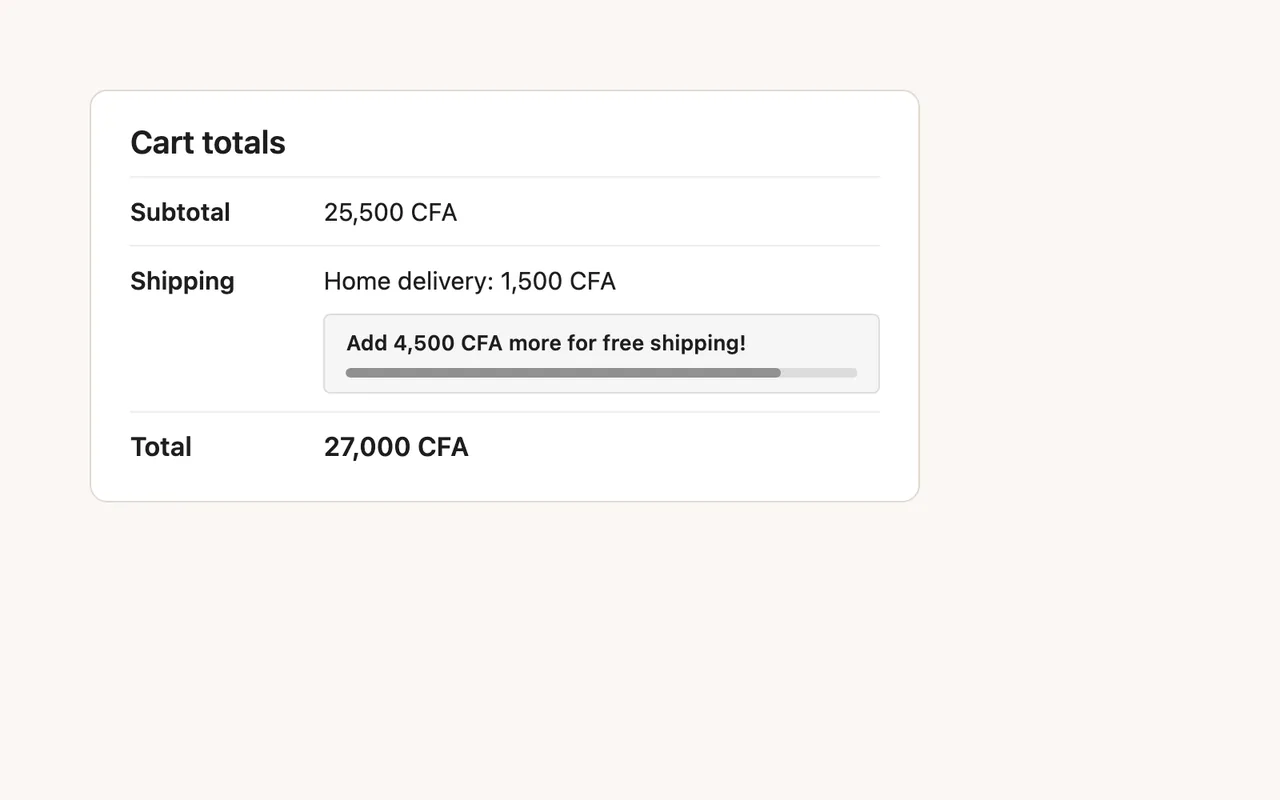
Free shipping threshold & bar
Set, for each destination, the cart amount above which delivery becomes free, and show a progress bar: "Add 2,000 more for free delivery".
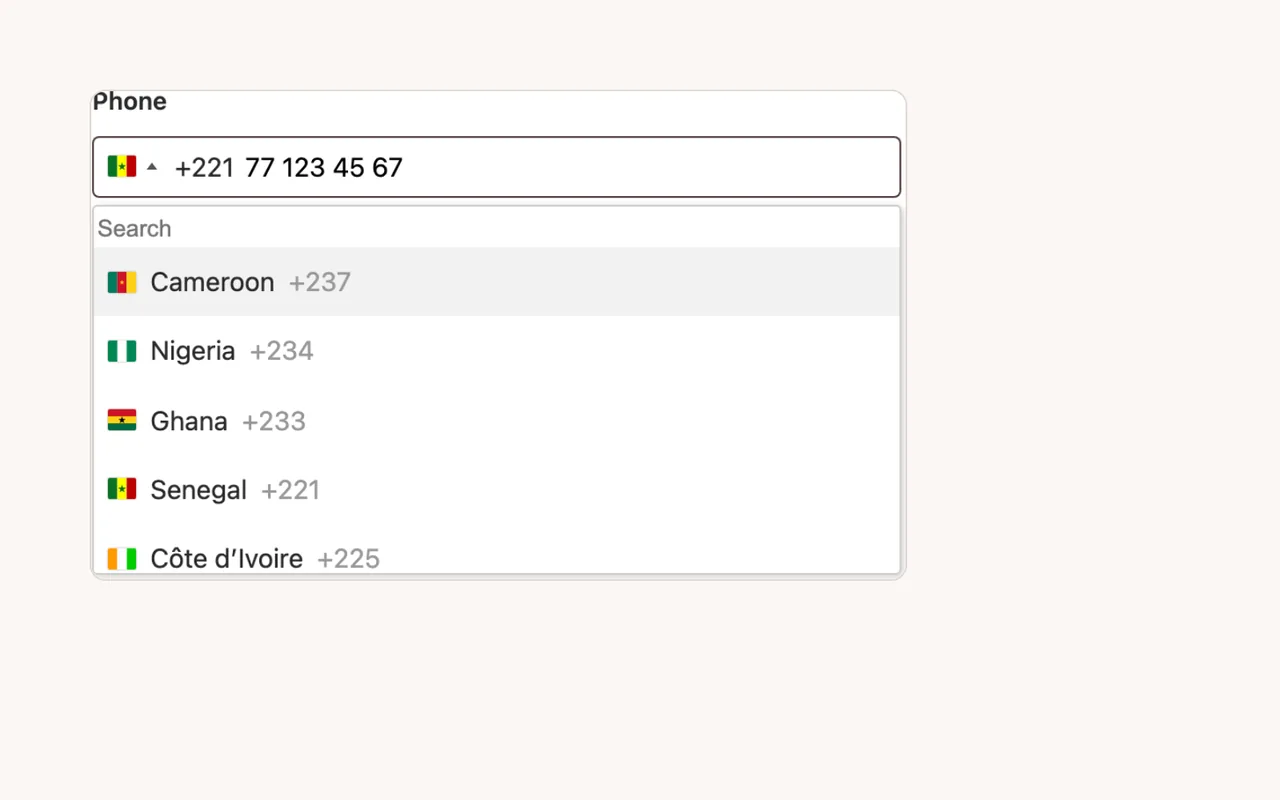
International phone field
A phone field with the country flag and dial code that fills itself in (+237, +251…). Every order arrives with a reachable number in international format.
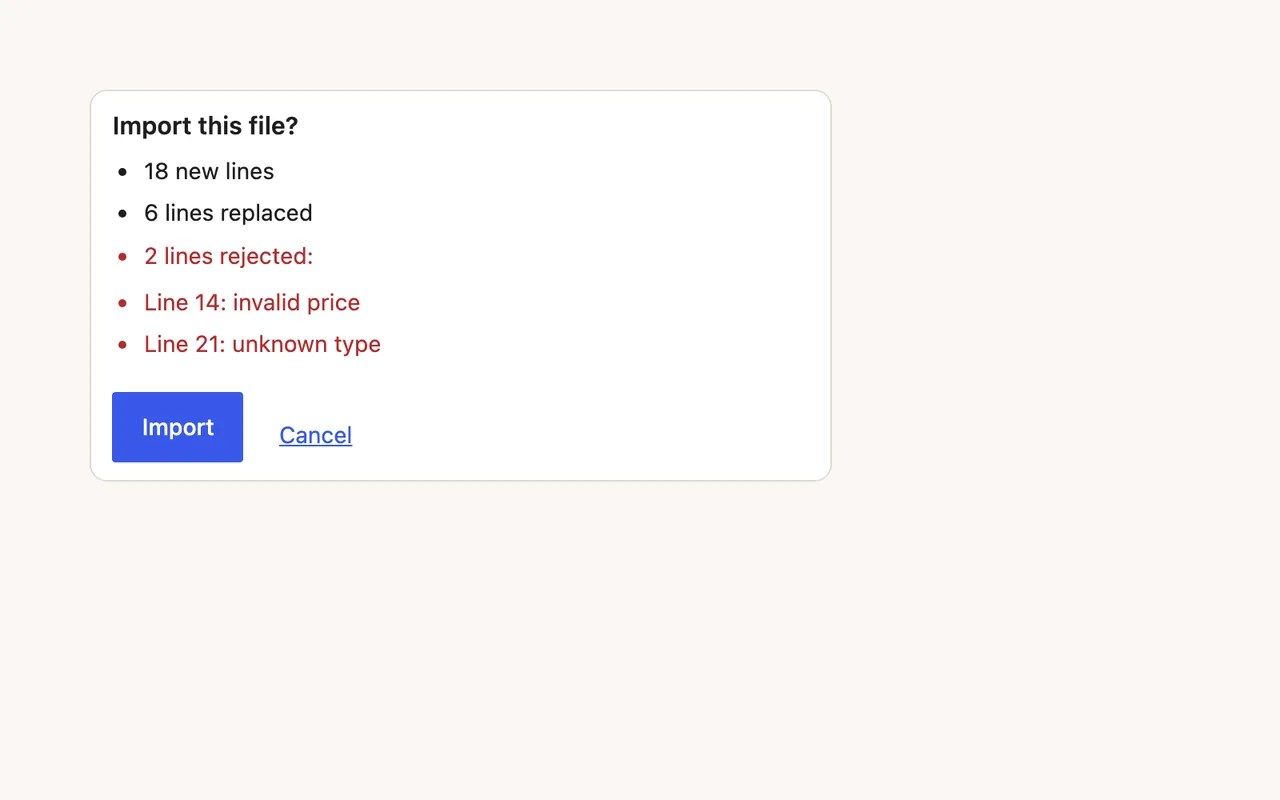
Spreadsheet files (CSV)
Export your prices, pickup points, agencies and routes, edit them in Excel or Google Sheets, then import them back. A preview shows what will be added, replaced or refused before anything is saved, and one click undoes the import.
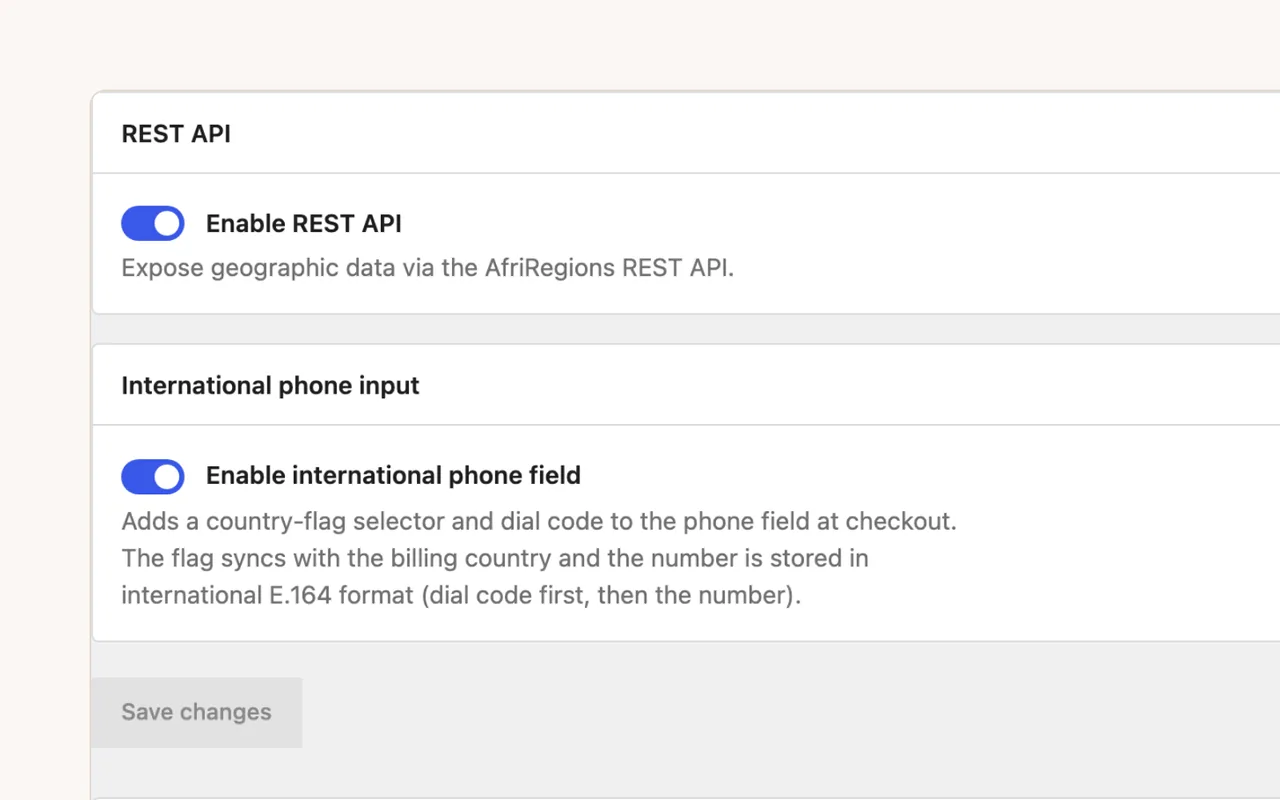
Mobile app API
A read-only REST API at /wp-json/scpwoo/v1/ with a single /snapshot call for offline-first apps, ETag caching, and a Store API bridge that sends the neighborhood so your app gets the exact same rates as your website.
24 African countries, thousands of zones
Pre-loaded geographic data with regions, cities, and neighborhoods for each country. Add custom zones anytime through the admin panel.
Common questions
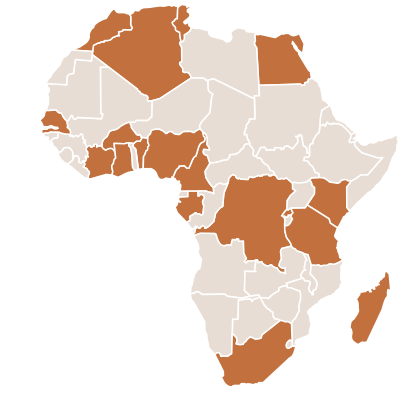
AfriRegions ships with 24 countries: Algeria, Angola, Benin, Burkina Faso, Cameroon, Cote d'Ivoire, DR Congo, Egypt, Ethiopia, Gabon, Ghana, Kenya, Madagascar, Mauritius, Morocco, Mozambique, Nigeria, Rwanda, Senegal, South Africa, Sudan, Tanzania, Tunisia and Uganda, each with its regions, cities and the neighborhoods of major urban areas. Only the countries you added to your WooCommerce selling and shipping locations are loaded, which keeps your store fast.
Yes. AfriRegions is tested up to WooCommerce 11.3 and WordPress 7.1, and is compatible with HPOS (High-Performance Order Storage). It works with the classic checkout: if yours uses blocks, WooCommerce warns you in the page editor, where you can switch back to the classic checkout. The neighborhood bridge for the Store API needs WooCommerce 8.9 or newer.
Absolutely. In WooCommerce → Settings → AfriRegions → Regions and cities, you browse the tree country by country, search it, then add a missing city to a region or a missing neighborhood to a city. A badge shows whether a place is built in or added by you, and anything you added can be removed.
You add the "AfriRegions - Region / City / Neighborhood Rates" method to a WooCommerce shipping zone. Its screen is a table: one line per destination, picked from the zone's list of places, with its price. The most precise price wins: a neighborhood price beats a city price, which beats a region price, which beats "Everywhere else". You can also choose not to deliver where you have set no price.
Yes, in WooCommerce → Settings → AfriRegions → Checkout fields. Turn customization on and you can reorder fields by dragging them, rename their labels and choose which ones are visible or required, separately for billing and shipping. The AfriRegions City, Region and Neighborhood fields are always shown, but you can rename them, for example "District" instead of "Neighborhood".
The free version covers the address lists for 24 countries, region, city and neighborhood prices edited like a spreadsheet, address checks, the cart estimate, your own cities and neighborhoods, and checkout field customization. Pro adds pickup points, travel agency delivery, Express and Same Day options, price by weight, surcharges for bulky products, free shipping from an amount with its progress bar, the international phone field, spreadsheet files (CSV) and the mobile app API.
Three, to add to any WooCommerce shipping zone: "AfriRegions - Region / City / Neighborhood Rates" (free), "AfriRegions - Pickup Point" (Pro) and "AfriRegions - Travel Agency" (Pro). In Pro, the first one can also offer Express and Same Day options, each with its own price and delivery time.
Yes, in Pro. Turn it on in WooCommerce → Settings → AfriRegions → Developer, then read public, read-only JSON at /wp-json/scpwoo/v1/. A single /snapshot call returns the whole dataset for offline-first apps, ETag / If-None-Match gives you near-free 304 re-checks, and the rate limit is 120 requests per minute. Shipping prices themselves come from the native WooCommerce Store API, to which AfriRegions adds a scpwoo/neighborhood address field so your app gets the exact same rates as your website.